When you're building a machine learning model, the quality of your data matters more than the complexity of your algorithm. A state-of-the-art neural network won't fix bad labels. In fact, labeling errors are one of the biggest hidden killers of model accuracy - often worse than using the wrong architecture or insufficient training data.
Studies show that even high-quality datasets like ImageNet contain around 5.8% labeling errors. In real-world applications - think medical imaging, autonomous vehicles, or drug discovery - those errors aren’t just numbers. They’re missed tumors, undetected pedestrians, or misclassified chemicals. And if your model learns from those mistakes, it will repeat them. That’s why recognizing and correcting labeling errors isn’t optional. It’s essential.
What Labeling Errors Actually Look Like
Labeling errors aren’t always obvious. You won’t always see a mislabeled cat as a dog. More often, they’re subtle, systematic, and easy to miss. Here are the most common types you’ll run into:
- Missing labels: An object is in the image or text, but no one annotated it. In autonomous driving datasets, this means a pedestrian wasn’t boxed. In medical reports, it means a symptom wasn’t tagged.
- Incorrect fit: The bounding box is too big, too small, or off-center. A tumor might be labeled with a box that includes healthy tissue - confusing the model about what to look for.
- Wrong class: A label is applied to the wrong category. A benign growth labeled as malignant. A drug name misclassified as a side effect.
- Boundary errors: Especially in text, entity boundaries are wrong. "Metformin 500mg" might be labeled as one drug when it’s two separate entities: the drug and the dosage.
- Ambiguous examples: A photo could reasonably belong to two classes. A blurry image of a cat and dog. A medical note with conflicting symptoms. These aren’t always errors - but they need human review.
- Out-of-distribution samples: Data that doesn’t fit any class at all. A photo of a tree in a dataset of hospital equipment. A handwritten note in a dataset of typed clinical records.
According to MIT’s Data-Centric AI research, 41% of labeling errors in entity recognition involve wrong boundaries, and 33% involve misclassified types. These aren’t random typos. They’re systemic issues - often caused by unclear instructions, rushed annotation, or changing guidelines mid-project.
How to Spot These Errors Without a PhD
You don’t need to be a data scientist to find these problems. Here are three practical, real-world ways to catch labeling errors:
1. Use Algorithmic Tools Like cleanlab
cleanlab is an open-source tool built on confident learning - a method developed at MIT and Harvard. It doesn’t need you to write code. You just feed it your dataset and your model’s predictions. It then flags examples where the model is confidently wrong - meaning the label is likely incorrect.
It works across text, images, and tabular data. In one case, a pharmaceutical company used cleanlab to scan 12,000 drug interaction notes. The tool flagged 892 potential errors. After human review, 71% were confirmed as real mistakes - mostly mislabeled drug names and incorrect interaction types.
cleanlab’s strength? It finds errors you didn’t know existed. Its precision rate is 65-82%, meaning most of the flagged examples are real problems - not false alarms.
2. Run Multi-Annotator Consensus
Have three people label the same sample. If two agree and one disagrees, the outlier is worth checking. This isn’t just theory - Label Studio’s analysis of 1,200 annotation projects showed this method cuts error rates by 63%.
It’s slower and costs more, but in high-stakes areas like radiology or clinical trials, it’s worth it. One hospital reduced diagnostic labeling errors by 54% after switching to triple-annotated datasets for AI-assisted tumor detection.
3. Use Model-Assisted Validation
Train a simple model on your labeled data, then run it back over the same dataset. Look for cases where the model is highly confident but wrong. For example, if your model says with 98% certainty that a label is "Type 2 Diabetes," but the original text says "Type 1," that’s a red flag.
Encord’s Active tool does this automatically. It works best when your baseline model has at least 75% accuracy. In a 2023 medical imaging project, this method caught 85% of labeling errors - including many that were missed by human annotators.
How to Ask for Corrections Without Creating Conflict
Finding an error is only half the battle. The harder part is getting it fixed - especially when you’re not the original annotator. Here’s how to do it professionally:
- Don’t say: "This is wrong." Say: "I noticed this example might need a second look. The label says ‘hypertension,’ but the note mentions ‘normal BP.’ Could we confirm?"
- Provide context. Attach the original text or image. Include the model’s prediction confidence if you used one. This turns a criticism into a collaborative review.
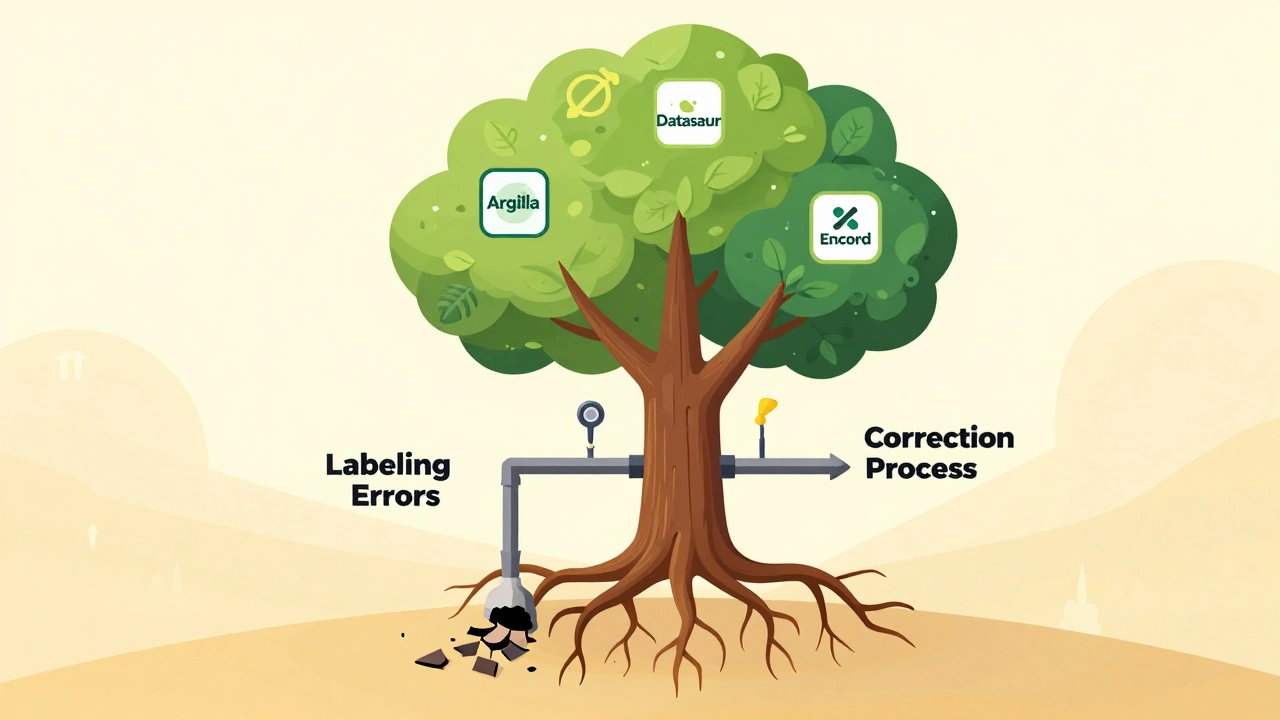
- Use tools that track changes. Platforms like Argilla and Datasaur let you flag errors and assign them to annotators. Use those features. Don’t email screenshots.
- Don’t assume malice. Most errors come from ambiguous instructions, not carelessness. If multiple people made the same mistake, the problem is your guidelines - not your team.
TEKLYNX found that 68% of labeling errors stem from unclear instructions. So when you ask for a correction, also ask: "What part of the guidelines was confusing?" Fix the rule, not just the label.
Tools That Actually Work (And Which to Choose)
Not all tools are created equal. Here’s what works now, based on real-world use:
| Tool | Best For | Limitations | Learning Curve |
|---|---|---|---|
| cleanlab | Statistical accuracy, research teams | Requires Python, not user-friendly | High - 8+ hours training |
| Argilla | Text classification, Hugging Face users | Struggles with >20 labels | Low - web interface |
| Datasaur | Enterprise annotation teams | No object detection support | Low - built into annotation tool |
| Encord Active | Computer vision, medical imaging | Needs 16GB+ RAM | Medium - requires setup |
For most teams, start with Argilla if you’re working with text. Use Datasaur if you’re already annotating in their platform. Use cleanlab if you have technical staff and need maximum accuracy. Avoid tools that don’t integrate with your existing workflow - they’ll just create more work.
What Happens If You Ignore Labeling Errors
Ignoring labeling errors is like building a house on cracked concrete. The walls might look fine at first. But over time, everything shifts.
MIT’s Professor Aleksander Madry says: "Label errors create a fundamental limit on model performance. No amount of model complexity can overcome them."
Companies that skip error correction see 20-30% lower model accuracy than those that don’t, according to Gartner. In healthcare, that means misdiagnoses. In finance, it means fraudulent transactions slipping through. In logistics, it means wrong packages shipped.
One major pharmacy chain used an AI system to flag high-risk prescriptions. But because 12% of the training data had wrong drug labels, the system flagged 37% of safe prescriptions as dangerous. Pharmacists started ignoring it. The tool was scrapped. All because no one checked the labels.
How to Build a Sustainable Correction Process
Fixing errors once isn’t enough. You need a system. Here’s a simple workflow that works:
- Load your dataset into a tool like Argilla or cleanlab. (1-2 hours)
- Run error detection. Let the tool flag suspicious examples. (5-30 minutes)
- Review flagged items with a domain expert - not just an annotator. (2-5 hours per 1,000 errors)
- Update your labeling guidelines based on what you find. (1-2 hours)
- Retrain your model with the corrected data. (1-24 hours)
Do this every time you update your dataset. Make it part of your MLOps pipeline - not a one-time cleanup.
And remember: the goal isn’t zero errors. That’s impossible. The goal is to keep errors below 3%. In most cases, that’s enough to dramatically improve model reliability.
What’s Coming Next
Label error detection is evolving fast. By 2026, every enterprise annotation platform will include it as a standard feature. New tools are coming that can detect errors in multimodal data - like images with text captions - which is currently a weak spot.
MIT is testing "error-aware active learning," which prioritizes labeling the data most likely to contain errors. Early results show it cuts correction time by 25%.
But the biggest shift? The mindset. We’re moving from "data is just input" to "data is the model." If you treat your labels like a static file, you’re behind. Treat them like living, evolving truth - and your models will thank you.
What’s the biggest cause of labeling errors?
The biggest cause is unclear or inconsistent labeling guidelines. Studies show 68% of errors come from ambiguous instructions - not human mistakes. If annotators don’t know exactly what to look for, they’ll guess. And guesses become errors.
Can I fix labeling errors without coding?
Yes. Tools like Argilla and Datasaur have built-in error detection with web interfaces. You don’t need to write Python or use command-line tools. Just upload your data, review flagged examples, and correct them directly in the browser.
How many annotators should I use per sample?
For critical applications (healthcare, safety), use three annotators per sample. For general use, two is enough. Single-annotator workflows have error rates 2-3 times higher. The extra cost is worth it if your model’s decisions affect people’s lives.
Is cleanlab the best tool for everyone?
No. Cleanlab is powerful but requires technical skill. If you’re a data scientist or ML engineer, it’s excellent. If you’re a project manager or clinician reviewing labels, use Argilla or Datasaur. Pick the tool that fits your team’s skills, not the one with the most buzz.
How often should I check for labeling errors?
Check every time you add new data - even if it’s just 50 new samples. Don’t wait for your model to underperform. Errors accumulate slowly, then suddenly break your system. Make error detection part of your regular data pipeline, like backups or version control.
Do labeling errors affect all types of AI models the same?
No. Models that rely on precise boundaries - like object detection in X-rays or entity recognition in medical notes - are far more sensitive to labeling errors than simple image classifiers. A mislabeled tumor shape can cause a model to miss cancer. A mislabeled cat in a general image dataset? Less critical.



Labeling errors are the silent killer of ML projects, and no one talks about it enough. The 5.8% error rate in ImageNet isn’t an outlier-it’s the norm. If you’re not actively auditing your labels, you’re not building AI, you’re building garbage that just looks fancy. cleanlab isn’t optional if you’re serious. It finds the errors you didn’t even know were there, and that’s the whole point. Stop treating data like a static spreadsheet.
lol i just used datasaur for my med dataset and it saved me so hard. no coding, just click and fix. the tool flagged like 15 weird ones where ‘diabetes’ was labeled as ‘hypertension’ bc the annotators were rushing. now i just make sure everyone reads the guide before they start. small change, huge difference.
This is so true 😊 I used to think labeling was just ‘tagging stuff’ until I saw how one mislabeled tumor led to a model missing 3 cancers in a row. It’s not just about accuracy-it’s about trust. When the doctors stop trusting the tool, everyone loses. I’m now pushing for triple-annotation on every high-risk case. Worth the extra time, 100%.
One thing people forget: the worst errors aren’t the obvious ones. They’re the ones that look right but are subtly wrong-like a bounding box that’s 5 pixels off because the guideline said ‘include all visible tissue’ but no one defined ‘visible.’ That’s why clear instructions matter more than fancy tools. Fix the rule, not the label.
My team started using Argilla last month and honestly? It’s been a game changer. We went from 12% error rate to under 4% in two cycles. The best part? Even the non-tech folks on our team can use it. No more ‘send me the spreadsheet’ emails. Just flag, comment, fix. It feels like we’re all in it together now. 🙌
Let’s be real-cleanlab is overhyped. You need a PhD to run it, and half the flagged samples are false positives. Meanwhile, Argilla and Datasaur give you 80% of the value with zero coding. If you’re not using a GUI tool, you’re just showing off. Also, ‘multi-annotator consensus’? That’s just hiring more people to do the same boring job. Automation > human labor. Always.
My biggest takeaway? Don’t blame the annotators. I once spent weeks correcting mislabeled drug names until I realized the guideline said ‘label all drug names including dosage’ but didn’t say whether ‘500mg’ was part of the name. That’s on us. Now we test guidelines with 5 new annotators before launch. If they’re confused, the guideline is broken.
THIS. THIS IS THE MOST IMPORTANT THING I’VE READ ALL YEAR. I used to think AI was about fancy models. Now I know it’s about dirty, boring, repetitive label-checking. My model went from 68% to 91% accuracy after one round of corrections. I cried. Not because I’m emotional-because I finally understood that AI doesn’t learn from data. It learns from the truth we give it. And we owe it that truth.
There’s a deeper layer here: labeling errors aren’t just technical-they’re epistemological. What does it mean for a label to be ‘correct’ when the boundary between ‘malignant’ and ‘benign’ is probabilistic, not categorical? We’re forcing binary decisions on inherently fuzzy phenomena. Tools help, but we need to acknowledge the philosophical gap between human judgment and machine rigidity. The real fix isn’t better software-it’s better humility.
Every time someone says ‘just use cleanlab,’ I die a little inside. It’s like recommending a scalpel to someone who needs a bandaid. The real problem isn’t detection-it’s culture. Teams don’t have time to fix labels because management treats data as a cost center, not a core asset. No tool fixes broken incentives. Fix the org chart first.
you know what they dont tell you? this whole labeling thing is a distraction. the real problem is that big tech is using our data to train models for surveillance. the ‘errors’ are intentional. they want the models to be wrong sometimes so they can sell you ‘better’ versions later. cleanlab? just another way to keep you busy while they profit. check your data source. who owns the annotation platform?